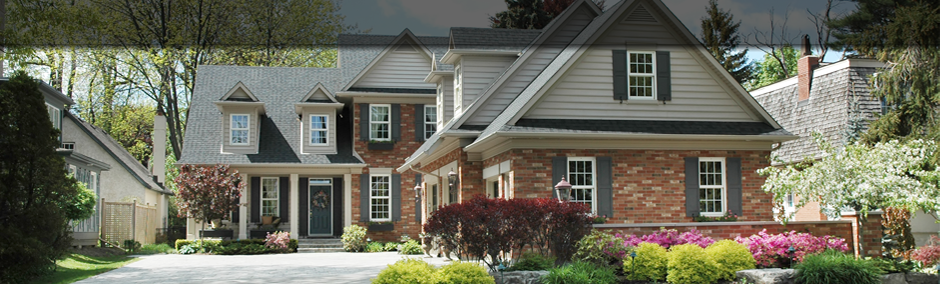
You pull into the driveway after dark, and the house responds before you reach the front door. Exterior lights come on, the entry unlocks, the alarm disarms, and the thermostat shifts to your preferred evening setting. That is the simplest way to understand what is smart home automation: multiple home systems working together automatically, based on your routines, preferences, and commands.
Smart home automation goes beyond owning a few connected devices. A video doorbell, a smart speaker, and a Wi-Fi thermostat can each be useful on their own, but automation is about coordination. It connects lighting, climate, audio, video, security, shading, and networking into one system that behaves predictably and is easy to control.
For homeowners, that means convenience and better day-to-day use of the house. For property owners managing second homes or larger residences, it can also mean better oversight, energy management, and peace of mind. The difference between a collection of gadgets and a professionally integrated smart home is usually reliability, simplicity, and how well the system fits the property.
## What is smart home automation, really?
At its core, smart home automation is the use of connected technology to monitor and control systems in a home from a central interface or through programmed actions. Those actions can be triggered by time of day, occupancy, motion, door activity, temperature changes, or a single button press.
The key idea is that the home does not wait for you to manage every device one by one. Instead, the system handles routine tasks automatically. A morning scene might raise shades, bring lights to a preset level, and start music in the kitchen. A bedtime command might lock doors, turn off selected lights, arm the security system, and lower the temperature upstairs.
That is why automation matters more than individual smart products. A house becomes easier to live in when its systems are designed to work together in a coordinated way.
## The systems that smart home automation can connect
Most smart home automation projects involve several categories of technology. Lighting control is often the starting point because it has an immediate impact on comfort, energy use, and daily convenience. Instead of controlling every switch separately, you can create scenes for cooking, entertaining, reading, or leaving the house.
Climate control is another major part of a smart home. Thermostats, sensors, and scheduled settings can help maintain comfort while reducing unnecessary heating or cooling. In larger homes, zoning becomes especially important because different areas of the house often need different settings at different times.
Security and surveillance also fit naturally into automation. Door locks, alarm systems, cameras, video doorbells, and gate access can all be managed within the same platform. That gives homeowners one place to check status, receive alerts, and respond quickly.
Entertainment systems are frequently integrated as well. Distributed audio, media rooms, TVs, and outdoor entertainment spaces can be controlled with the same app, touchscreen, or handheld remote used for other home functions. When done well, this eliminates the usual stack of remotes and disconnected apps.
Motorized shades, garage doors, irrigation controls, and whole-home networking are often part of the conversation too. Networking deserves special attention because every connected system depends on a stable, properly designed network. If the network is weak, the smart home experience usually feels unreliable no matter how advanced the devices are.
## How smart home automation works in practice
A well-designed system usually has three parts: devices in the home, a control platform that connects them, and the programming that tells them how to behave. The user experience may look simple on the surface, but a lot of planning goes into making sure everything responds consistently.
For example, when you press an "Away" button, the system may turn off interior lights, arm the alarm, lock exterior doors, adjust thermostats, and notify you if a garage door remains open. That single action replaces a series of manual steps.
Some commands are user-initiated, while others happen automatically. Motion sensors may activate pathway lighting at night. A water leak sensor may trigger an alert and shut off the main water supply. A scheduled routine may prepare the house for the evening before anyone arrives home. These are practical uses, not novelty features.
Voice control can also be part of the system, but it should not be the only control method. Phones, wall keypads, touchscreens, and remotes still matter because different situations call for different interfaces. The best systems are designed around how the homeowner actually lives, not around one trendy feature.
## Why homeowners choose automation
Most people do not invest in smart home automation because they want more apps on their phone. They want fewer steps, less friction, and better control over how the home functions.
Convenience is the first benefit people notice. Instead of adjusting devices one at a time, they can control multiple systems at once. That becomes more valuable in larger homes, vacation properties, and households with complex routines.
Comfort is another major reason. Lighting scenes, climate presets, and motorized shades can make a home feel more responsive to the way people use each space. Entertainment becomes easier too, especially when TVs, speakers, and streaming sources are integrated cleanly.
Security and visibility matter just as much. Homeowners want to know whether doors are locked, whether cameras are recording, and whether the property is behaving normally when they are away. Automation can support that oversight without making everyday use more complicated.
Energy management is often part of the value, although the savings vary. Scheduled lighting, climate setbacks, occupancy-based controls, and shading can all reduce unnecessary energy use. Still, results depend on the property, the systems installed, and how the automation is configured.
## The difference between DIY smart devices and a professionally integrated system
This is where expectations need to be realistic. Consumer smart devices can work well for small, simple needs. If you want to control a few lamps or install a single video doorbell, a DIY approach may be enough.
The challenge appears when the system expands. Different brands may use different apps, connection methods, and update cycles. One device drops offline, another stops communicating after a software change, and soon the house is technically smart but frustrating to manage.
A professionally integrated system is designed as a whole. The hardware, control platform, network, and programming are selected to work together. That does not mean every project needs the most complex solution available. It means the technology is chosen with the property, the user, and the long-term service picture in mind.
For higher-end homes, renovations, and new construction projects, this approach usually produces a better result. Wiring can be planned correctly, equipment can be located where it belongs, and control can be simplified across the entire home. Ongoing support also matters. When one partner is responsible for design, installation, and service, troubleshooting is much more straightforward.
## What to consider before installing smart home automation
The first question is not which app or device to buy. It is how you want the home to function. That includes your daily habits, the spaces you use most, who lives in the house, and whether the property is a primary residence or a second home.
It also helps to think in terms of priorities. Some homeowners care most about security and remote access. Others want lighting control, whole-home audio, or hidden technology that blends into the design of the house. The right system depends on those goals.
Budget matters, and so does timing. Automation can be added to existing homes, but new construction and renovation projects offer more flexibility because wiring, equipment locations, and control points can be planned early. Retrofitting is still possible, but the scope and finish options may differ.
Reliability should stay at the center of the decision. A smart home should reduce complexity for the homeowner, not add to it. That is why professional system design, network planning, and support are often what determine whether the experience feels polished or inconsistent.
For homeowners in Greater Boston, Southern New Hampshire, and Maine, working with an integrator such as All Integrated Systems often makes the process more practical. Instead of piecing together products from multiple vendors, you get one coordinated design, one installation team, and one source of support.
Smart home automation is not really about making a house feel futuristic. It is about making the home easier to live in, easier to manage, and better aligned with the way you use it every day. The best systems do their job quietly in the background, until the moment you need them.